AI Coding on Your Terms
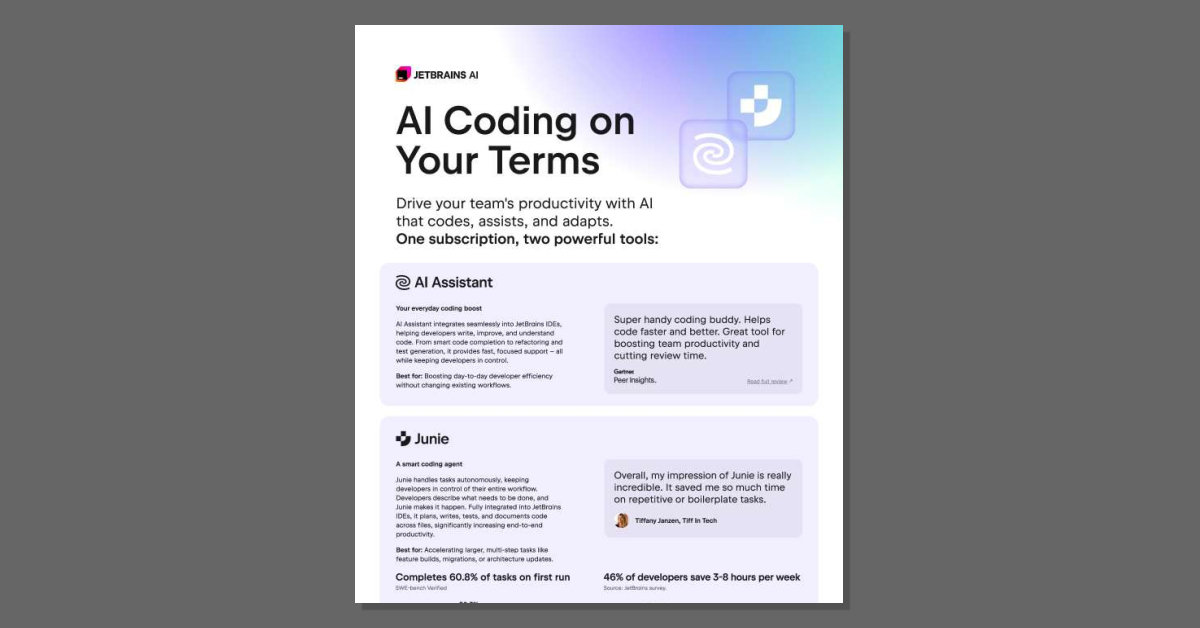
Want AI that speeds up coding without taking the keyboard out of your developers' hands? This leaflet shows how JetBrains AI combines AI Assistant for daily coding support with Junie, an autonomous agent that handles multi-step tasks like feature builds and migrations. Read the leaflet to see how teams can move faster with zero data retention and no code training.
How does JetBrains AI fit into our existing development workflow?
JetBrains AI is designed to work inside the JetBrains IDEs your team already uses, so there’s no need to switch tools or learn new interfaces.
AI Assistant is your day-to-day coding boost. It:
- Integrates directly into JetBrains IDEs (no extra app or browser tab).
- Helps with smart code completion, refactoring, and test generation.
- Explains and improves existing code so developers stay in control of decisions.
Junie is a more autonomous coding agent for larger, multi-step work. Developers describe what needs to be done, and Junie:
- Plans, writes, tests, and documents code across multiple files.
- Is especially useful for feature builds, migrations, and architecture updates.
- Completes about 60.8% of tasks on the first run, which helps cut review time.
Because both tools are IDE-native, your team can reimagine how they approach coding tasks while keeping their familiar workflows and tools.
What productivity impact can we realistically expect?
Teams use JetBrains AI to reshape both everyday coding and larger development tasks.
For day-to-day work, AI Assistant helps developers:
- Write and improve code faster with smart completion and refactoring.
- Generate tests and understand unfamiliar code more quickly.
- Stay focused in the IDE instead of jumping between tools.
For bigger, multi-step tasks, Junie acts as a smart coding agent that:
- Handles feature builds, migrations, and architecture updates end to end.
- Automates repetitive or boilerplate work so developers can focus on higher-value decisions.
- Completes around 60.8% of tasks on the first run, reducing back-and-forth review.
According to a JetBrains survey, 46% of developers report saving 3–8 hours per week using these AI capabilities. That time typically comes from reduced manual coding, less boilerplate, and faster understanding of complex codebases.
How does JetBrains AI handle security, data, and pricing?
Security and data handling
- No training on your code: JetBrains states that it does not train its models on your proprietary code.
- Training sources: Proprietary models are trained on public, permissively licensed code, not on your private repositories.
- Zero data retention (AI Pro): For the AI Pro plan, JetBrains does not retain data on its servers or through subcontractors.
Subscription options
- AI Pro – Best for regular daily use with:
- AI Assistant for everyday tasks.
- Access to Junie when needed.
- 20 AI Credits included; top-ups available at 1 AI Credit ≈ 1 USD (billed in local currency).
- AI Ultimate – For more intensive, day-to-day AI workloads:
- Includes 70 AI Credits for heavier usage.
- AI Enterprise – For organizations that need enterprise-grade controls:
- Enterprise-level security and compliance.
- Access control and custom AI integrations.
- On-premises or hybrid deployment options.
JetBrains AI is offered as a single subscription that covers a suite of AI solutions integrated into JetBrains IDEs, making it easier to manage adoption across teams. Many organizations, including companies from the Fortune Global Top 100, already use JetBrains tools, which can simplify rollout and governance.
AI Coding on Your Terms
published by Computer SuperCenter
Wouldn't it be relief to know you had your very own IT Department? Well that's why we are here: You can trust us. When you have an emergency, or simply need technology advice, you can trust us. Who do you turn to when your computer is down, your data is at risk, or if you finally want a regular, day-to-day service relationship? We are waiting, ready for you, whenever you need us, or on a subscribed, monthly basis. You can count on us every day, in every way.
Yes, you can trust Computer SuperCenter. We've stood the test of time, since 1984, to be specific! There is no higher rated Microsoft or Apple solution provider. Check out our Google and A+ Better Business Bureau Ratings...Then give us a call today - Doing business with us is the safe choice.
Your business can only thrive if the technology you’ve invested in runs at peak performance, every minute of every day. When you choose Computer SuperCenter as your Managed Services Provider (MSP), you’re choosing a partner with the in-house capability to proactively maintain, upgrade, continuously monitor, and intelligently evolve your systems.
In the face of tightened security, Computer SuperCenter delivers protection, disaster recovery and data privacy services to counter the proliferation of network and data breaches.
You can accomplish more than ever using the right collaboration and productivity platform. We are among the most experienced of Microsoft Solution Providers advising and deploying Microsoft Office 365 and Microsoft Azure Cloud Solutions. As a matter of fact, we won the Microsoft award as Top Cloud Solution Provider in the Metro-New York Area.




 Sign in with LinkedIn