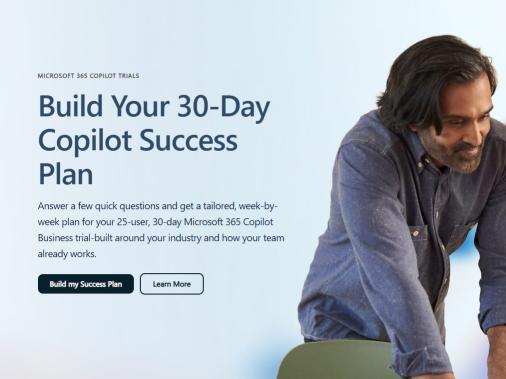
Build your 30-day Copilot success plan
Put everyday work at the center of your Copilot trial. Create a tailored roadmap for your 25-user, 30-day Microsoft 365 Copilot Business trial with Build Your 30-Day Copilot Success Plan. Answer a few quick questions about your industry and team's tasks to receive weekly guidance, practical activities, real-world scenarios, and ready-to-use prompts. Visit the website to build your plan and give your team a clear next step throughout the trial.
What is a 30-day Copilot success plan?
A 30-day Copilot success plan is a structured onboarding approach that helps your organization move from initial interest in Microsoft Copilot to everyday use in about one month. The idea is to give teams a clear path rather than experimenting without direction.
Within 30 days, you typically focus on three areas:
- Planning and alignment: Define where Copilot can help first (for example, customer service, meetings, or education scenarios) and identify a pilot group of users.
- Enablement and training: Use Microsoft-provided user engagement tools and templates to introduce Copilot, run virtual workshops and training, and share simple “day one” use cases.
- Adoption and measurement: Encourage daily use in real work (such as meetings in Microsoft Teams or cases in Dynamics 365 Customer Service) and collect feedback to refine your approach.
This 30-day framework helps you reimagine routine work, build confidence with AI, and create repeatable adoption practices you can scale across Microsoft 365, Dynamics 365, and Teams.
How can we use Copilot in Dynamics 365 Customer Service and Microsoft Teams?
Copilot is designed to fit into tools your teams already use, so adoption feels more like an upgrade than a replacement.
In Dynamics 365 Customer Service, Copilot can help customer service teams:
- Draft and refine responses to customer inquiries directly inside Dynamics 365.
- Summarize case histories so agents can get context faster before responding.
- Standardize how information is captured, helping improve quality and consistency.
In Microsoft Teams, Copilot supports different meeting formats:
- Meetings: Assist with recap notes, action items, and key decisions.
- Webinars and town halls: Help summarize long discussions, highlight themes, and provide follow-up summaries after the session.
- New meeting controls experience: Work alongside updated Teams controls so organizers can manage sessions more efficiently while Copilot helps with content and insights.
Using Copilot in these environments lets you reshape routine tasks like note-taking, summarizing, and drafting responses, freeing people to focus on higher-value customer or stakeholder engagement.
What tools and resources support Copilot user adoption?
Microsoft provides a range of resources to make Copilot adoption more structured and less ad hoc.
Key resources include:
- Microsoft Copilot user engagement tools and templates: Ready-made assets you can tailor, such as announcement emails, FAQs, quick-start guides, and how-to content for different roles.
- Virtual workshops and training: Sessions that walk users through practical Copilot scenarios across Microsoft 365, Microsoft Teams, and Dynamics 365 Customer Service. These can be used in onboarding, team training, or leadership briefings.
- Education-focused offerings: For schools and universities, options like Microsoft Teams for Education, Microsoft 365 Education, and educator training help institutions rethink how AI supports teaching, learning, and administration.
Combined with your 30-day Copilot success plan, these assets help you move beyond pilots and into consistent, organization-wide use of AI in a manageable, low-friction way.
Build your 30-day Copilot success plan
published by Computer SuperCenter
Wouldn't it be relief to know you had your very own IT Department? Well that's why we are here: You can trust us. When you have an emergency, or simply need technology advice, you can trust us. Who do you turn to when your computer is down, your data is at risk, or if you finally want a regular, day-to-day service relationship? We are waiting, ready for you, whenever you need us, or on a subscribed, monthly basis. You can count on us every day, in every way.
Yes, you can trust Computer SuperCenter. We've stood the test of time, since 1984, to be specific! There is no higher rated Microsoft or Apple solution provider. Check out our Google and A+ Better Business Bureau Ratings...Then give us a call today - Doing business with us is the safe choice.
Your business can only thrive if the technology you’ve invested in runs at peak performance, every minute of every day. When you choose Computer SuperCenter as your Managed Services Provider (MSP), you’re choosing a partner with the in-house capability to proactively maintain, upgrade, continuously monitor, and intelligently evolve your systems.
In the face of tightened security, Computer SuperCenter delivers protection, disaster recovery and data privacy services to counter the proliferation of network and data breaches.
You can accomplish more than ever using the right collaboration and productivity platform. We are among the most experienced of Microsoft Solution Providers advising and deploying Microsoft Office 365 and Microsoft Azure Cloud Solutions. As a matter of fact, we won the Microsoft award as Top Cloud Solution Provider in the Metro-New York Area.




 Sign in with LinkedIn