Build your 30-day Copilot success plan - Microsoft Adoption
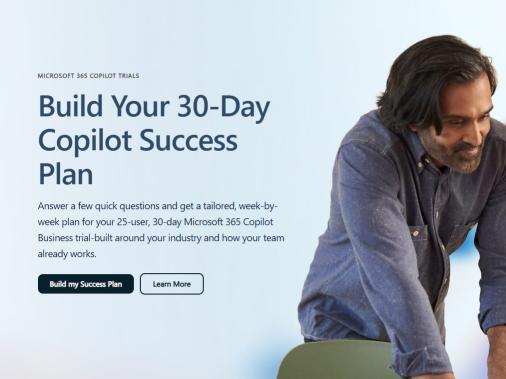
Turn a 25-user, 30-day Microsoft 365 Copilot Business trial into momentum. Answer a few quick questions to generate a tailored weekly roadmap featuring practical scenarios, guided activities, and ready-to-use prompts. Explore Build Your 30-Day Copilot Success Plan for an at-a-glance view of easy setup, clear progress, and faster time-to-value.
What is a 30-day Copilot success plan?
A 30-day Copilot success plan is a structured, short-term roadmap that helps your organization start using Microsoft Copilot in a focused, low‑risk way.
In practice, it usually includes:
- Clear goals for the first month – for example, reducing meeting follow‑up time or improving how customer service teams respond to inquiries.
- User engagement tools and templates – Microsoft provides ready-made assets so you can communicate the value of Copilot, collect feedback, and guide users through their first tasks.
- Guided rollout across priority scenarios – such as using Copilot in Dynamics 365 Customer Service or in Microsoft Teams meetings, webinars, and town halls.
By focusing on a 30-day window, you can:
- Test Copilot in real workflows without committing to a full-scale program on day one.
- Gather data on adoption, usage, and impact.
- Refine your approach before expanding to more teams and use cases.
Overall, the plan is designed to help you reimagine how your teams work with AI, while keeping the rollout manageable and measurable from the start.
How can we use Copilot in customer service and meetings?
Microsoft Copilot is built to plug into the tools many teams already use every day, so you can reshape specific workflows without overhauling your tech stack.
In Dynamics 365 Customer Service, Copilot can help your agents by:
- Surfacing relevant information from cases and knowledge articles.
- Helping draft responses and summarize case details.
- Speeding up routine tasks so agents can focus on complex issues.
In Microsoft Teams meetings, webinars, and town halls, Copilot and the new meeting controls experience can:
- Streamline how you schedule, run, and follow up on meetings.
- Support large-scale events like webinars and town halls, where consistency and clear communication are key.
- Help standardize how information is captured and shared post‑meeting.
Using Copilot across both customer service and collaboration scenarios allows you to rethink how information flows between teams—reducing manual effort and making customer and meeting insights easier to act on.
What tools and resources does Microsoft provide to drive Copilot adoption?
Microsoft provides a set of resources designed to make Copilot adoption more predictable and easier to manage:
- User engagement tools and templates – Communication templates, talking points, and basic guidance you can adapt for internal launch emails, FAQs, and quick-start guides.
- Structured learning and events – Options like virtual workshops, training, and conferences (for example, the Microsoft 365 and AI-focused ESPC conference) where your teams can learn from experts and peers.
- Integration guidance – Documentation and learning content through Microsoft Learn, the Tech Community, and product release notes, so your IT and business teams understand how Copilot fits into Microsoft 365, Dynamics 365, Teams, and the broader Microsoft Cloud.
These assets help you:
- Introduce Copilot in a way that matches your organization’s communication style.
- Support users in the first 30 days with clear “how-to” examples.
- Gather feedback, iterate, and gradually expand from pilot groups to broader adoption.
By combining these resources with your own processes and KPIs, you can reimagine how AI supports everyday work while maintaining governance and clarity for your users.
Build your 30-day Copilot success plan - Microsoft Adoption
published by Computer SuperCenter
Wouldn't it be relief to know you had your very own IT Department? Well that's why we are here: You can trust us. When you have an emergency, or simply need technology advice, you can trust us. Who do you turn to when your computer is down, your data is at risk, or if you finally want a regular, day-to-day service relationship? We are waiting, ready for you, whenever you need us, or on a subscribed, monthly basis. You can count on us every day, in every way.
Yes, you can trust Computer SuperCenter. We've stood the test of time, since 1984, to be specific! There is no higher rated Microsoft or Apple solution provider. Check out our Google and A+ Better Business Bureau Ratings...Then give us a call today - Doing business with us is the safe choice.
Your business can only thrive if the technology you’ve invested in runs at peak performance, every minute of every day. When you choose Computer SuperCenter as your Managed Services Provider (MSP), you’re choosing a partner with the in-house capability to proactively maintain, upgrade, continuously monitor, and intelligently evolve your systems.
In the face of tightened security, Computer SuperCenter delivers protection, disaster recovery and data privacy services to counter the proliferation of network and data breaches.
You can accomplish more than ever using the right collaboration and productivity platform. We are among the most experienced of Microsoft Solution Providers advising and deploying Microsoft Office 365 and Microsoft Azure Cloud Solutions. As a matter of fact, we won the Microsoft award as Top Cloud Solution Provider in the Metro-New York Area.




 Sign in with LinkedIn